The 80% problem
Almost every manufacturer is looking at AI. Far fewer feel ready to use it.
A 2026 ManufacturingTomorrow-reported survey from Redwood Software found that 98% of manufacturers are exploring or considering AI-driven automation, but only 20% feel fully prepared to use it at scale. The same research found that seven in ten manufacturers have automated 50% or less of their core operations.
That gap matters because it is not an abstract “digital transformation” problem. In a CNC shop, it shows up in very familiar places: jobs waiting in the CAM queue, experienced programmers being pulled into every urgent quote, repeat features being programmed from scratch, and first articles slipping later into the day because the programming stage took longer than planned.
For many shops, the machines are capable. The team is capable. The issue is that programming capacity is still treated as a scarce resource that must be manually applied to every part, every setup, every revision, and every quote. When demand rises, that resource becomes the bottleneck.
This is where the AI CAM software readiness question becomes practical. Readiness does not mean your shop has perfect data, a fully connected factory, or a team of AI specialists. It means you can identify where repetitive CAM work is slowing throughput, where machining decisions are already repeatable, and where your programmers would benefit from a faster starting point.
The opportunity is not to replace skilled programmers. It is to accelerate them.
The shops that move first will not necessarily be the ones with the biggest IT budgets. They will be the ones who invested early, built out digital tool libraries, and carved out time each week to future proof their operations, always keeping one eye on what’s next to ensure they stay at the forefront of manufacturing technology.
That is the difference between exploring AI and being ready to use it.
5 signals your shop is ready for AI CAM now
AI CAM readiness is easier to spot than many shop leaders think. It usually appears in day-to-day friction:.
1. Your programmer is the constraint, not your spindle capacity.
If machines are available but jobs are waiting for toolpaths, your bottleneck is upstream of cutting metal. This often shows up in quoting delays, overtime CAM work, or one senior programmer becoming the single point of failure for complex jobs.
2. You see the same fixturing and setup patterns again and again.
AI CAM is most useful when there is enough repeatability to build from. Shops running recurring vise setups, common material families, standard tool libraries, repeat stock sizes, or families of 3-axis and 3+2 parts often have a stronger starting point than they realise.
3. First-article time is creeping upward.
When first articles routinely move from morning to afternoon, or from one shift to the next, the issue is not always cutting time. It may be the time spent creating, checking, revising, and proving a program before the machine can run confidently.
4. Programmers spend too much time on the first 70-80% of a job.
Highly skilled CAM programmers should be focused on judgment: workholding, risk, tolerance-critical features, tool life, cycle-time trade-offs, and quality. If much of their week is spent building standard roughing, drilling, facing, and finishing strategies from scratch, AI assistance has a clear role.
5. You are prepared to invest some time in an AI strategy
As much as we’d like to pretend otherwise, there can be friction when introducing a new CAM solution - for example, if your tool libraries aren’t set up well, then the AI will have trouble getting best results… but if no-one is willing to do that setup work, then you won’t get the most out of the solution. Building out a digital tool library can seem like a mammoth task, but if you eat the elephant one bite at a time, it’s very doable. (Here’s an example of how one shop did it).
None of these signals require a complete process overhaul. They simply show that your CAM process contains enough repeatable work for acceleration to matter.
3 blockers and how to address them
Most hesitation around AI CAM comes from three reasonable concerns. None should be dismissed. Each should be handled directly.
Blocker 1: “We do not want to rip and replace our CAM system.”
This is often the biggest fear. CNC teams have years of knowledge built into their current CAM package, posts, tool libraries, templates, and programmer habits. A serious AI CAM solution should not ask the shop to throw that away. The right starting point is a controlled add-on approach: keep the existing CAM environment, keep the programmer in control, and test whether AI can reduce repetitive programming time without changing the rest of the workflow.
Blocker 2: “We cannot risk our part data leaving the shop.”
Security concerns are valid, especially for aerospace, defence, medical, and high-value industrial work. Before any onboarding, shops should ask specific questions: what part data is processed, how long it is retained, whether data is encrypted, whether customer models are used for training, and what certifications or deployment options exist.
When using CAM Assist, customer part data is encrypted in transit and at rest, is not kept indefinitely after toolpath generation, and is not used to train AI models. CloudNC has also published ISO/IEC 27001:2022 compliance and SOC 2 type II compliance for its security programme.
Blocker 3: “We do not have time to learn another tool.”
That’s ok; CAM Assist works with your existing CAM software! See below.
CAM Assist as the entry point
The lowest-friction way to test AI CAM is to start where your programmers already work.
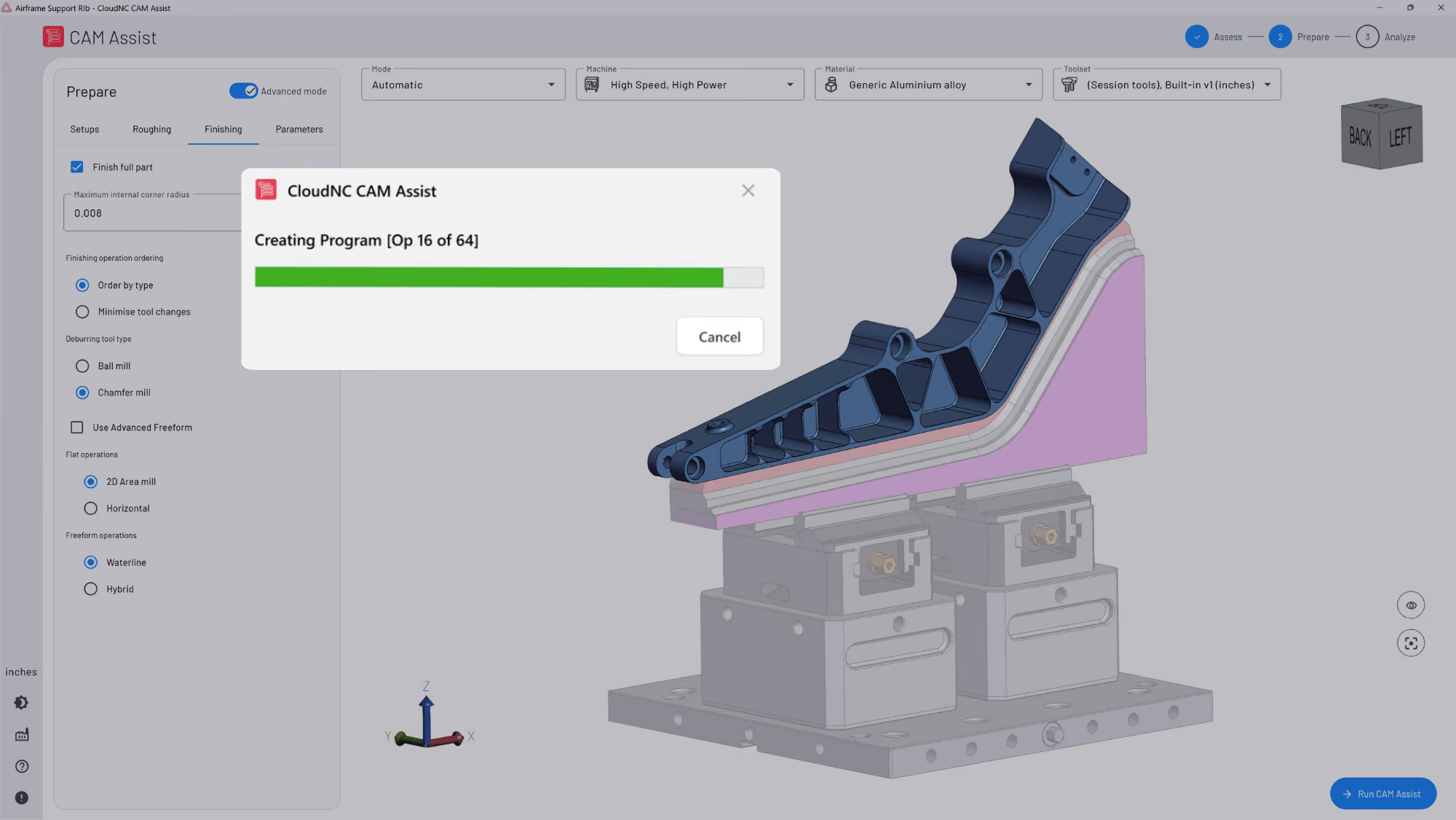
CAM Assist is built to integrate with existing CAM packages and generate machining strategies and toolpaths using AI. CloudNC integrates with Mastercam, Siemens NX CAM, Autodesk Fusion, GibbsCAM, and SolidCAM.
That plug-in model is important because it changes the adoption question. Instead of asking, “Should we move our shop to a new AI CAM platform?”, the better question is, “Can we accelerate repetitive programming work inside the CAM environment we already trust?”
For a decision-stage adjacent buyer, that is a much easier test.
Need help choosing the right pilot path for your shop? Speak to a product expert at https://www.cloudnc.com/start2
Want to see some tips about getting CAM Assist working for you? Here’s a video: