Getting a machining strategy from AI is one part of programming a job. Preparing the tooling, interpreting the drawing and working through the results still take time. When those steps are cumbersome, they limit how often AI assistance is useful.
With CAM Assist 2.5, we’ve focused on those practical barriers. The new update makes tool setup easier, brings information from 2D drawings into hole programming, and gives programmers more control over setups and how they move work back into their CAM package.
We built it to make AI assistance easier to use throughout a job, with programmers deciding what to automate and retaining control of the final program.
- Choose how to approach the machining
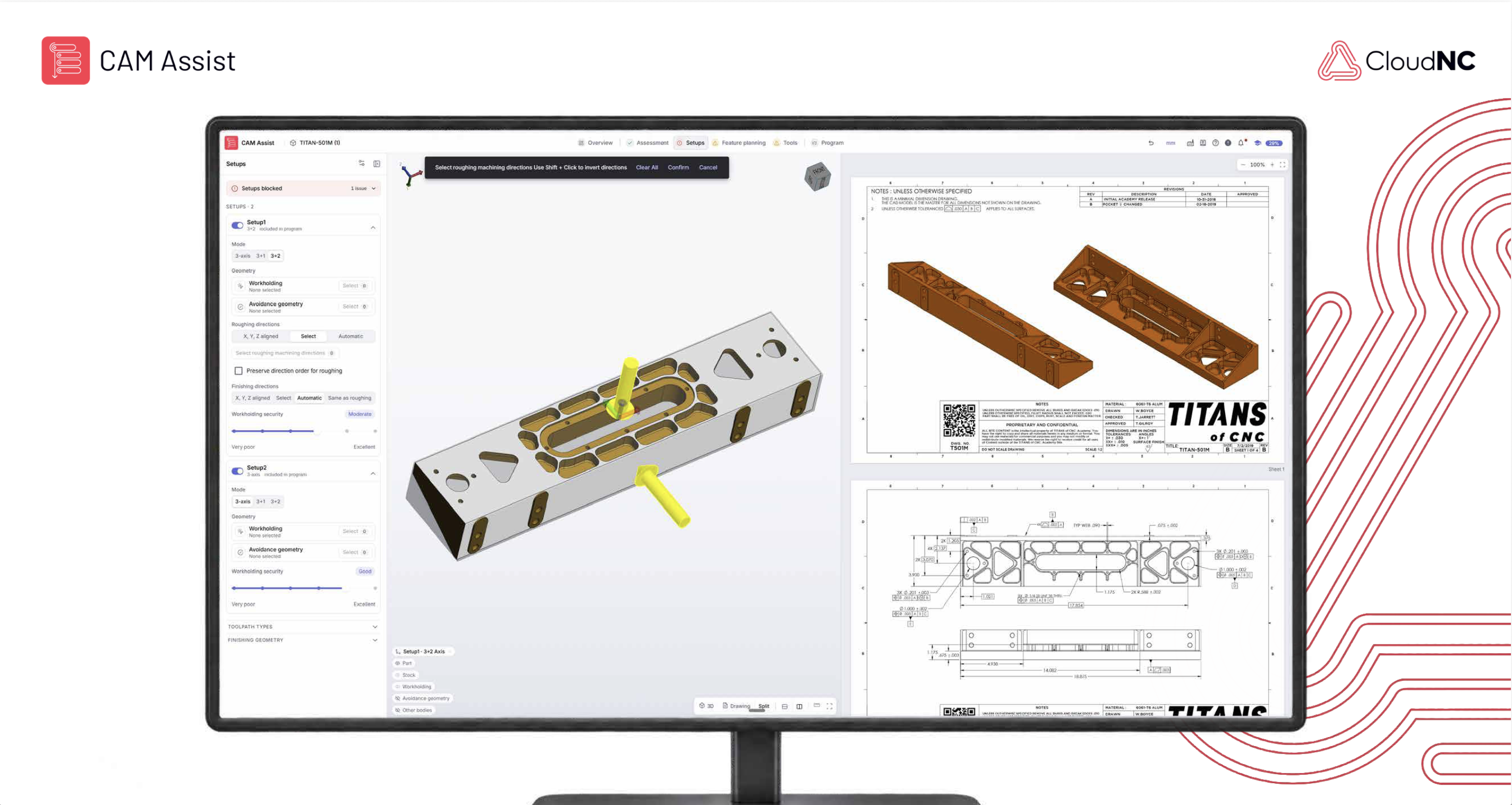
Programmers need to be able to guide how a part is machined. CAM Assist 2.5 makes machining directions easier to control within a simpler setups interface.
For example, roughing can be directional while finishing remains automatic. This lets the programmer guide the roughing approach and leave the finishing directions to CAM Assist. The controls make it easier to apply that judgement as part of preparing the job.
- Make tool setup easier for each part
Tooling preparation has been the single biggest barrier to people adopting CAM Assist more readily. Getting the AI to recognise the tools available in a shop has required substantial setup work before programmers could get useful results.
Now, in 2.5, programmers can define the tool set for an individual part. That gives them direct control over which tools CAM Assist is allowed to use for the job.
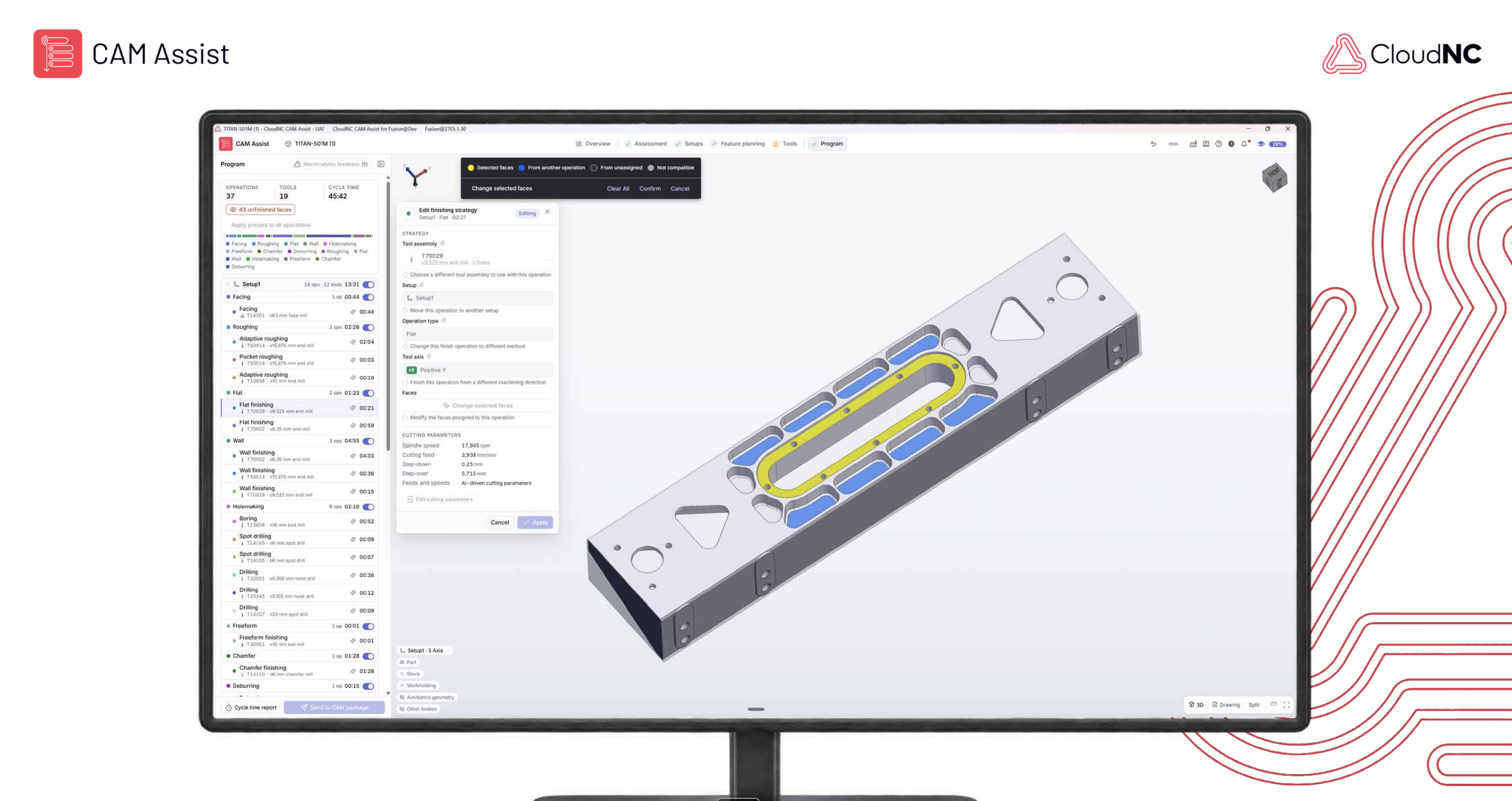
CAM Assist also recommends suitable tools from a global tooling database. A recommended tool can be added in a single click, reducing the need to enter tooling data manually. Programmers can choose the tools that match what is available in the shop and build a set around the part they are programming.
Presets are also no longer required. Where they don’t exist, the AI engine will generate feeds and speeds within the context of the tool, material and the cut, and the programmer remains in control via the Cutting Parameters Explorer.
- Bring drawing information into hole programming
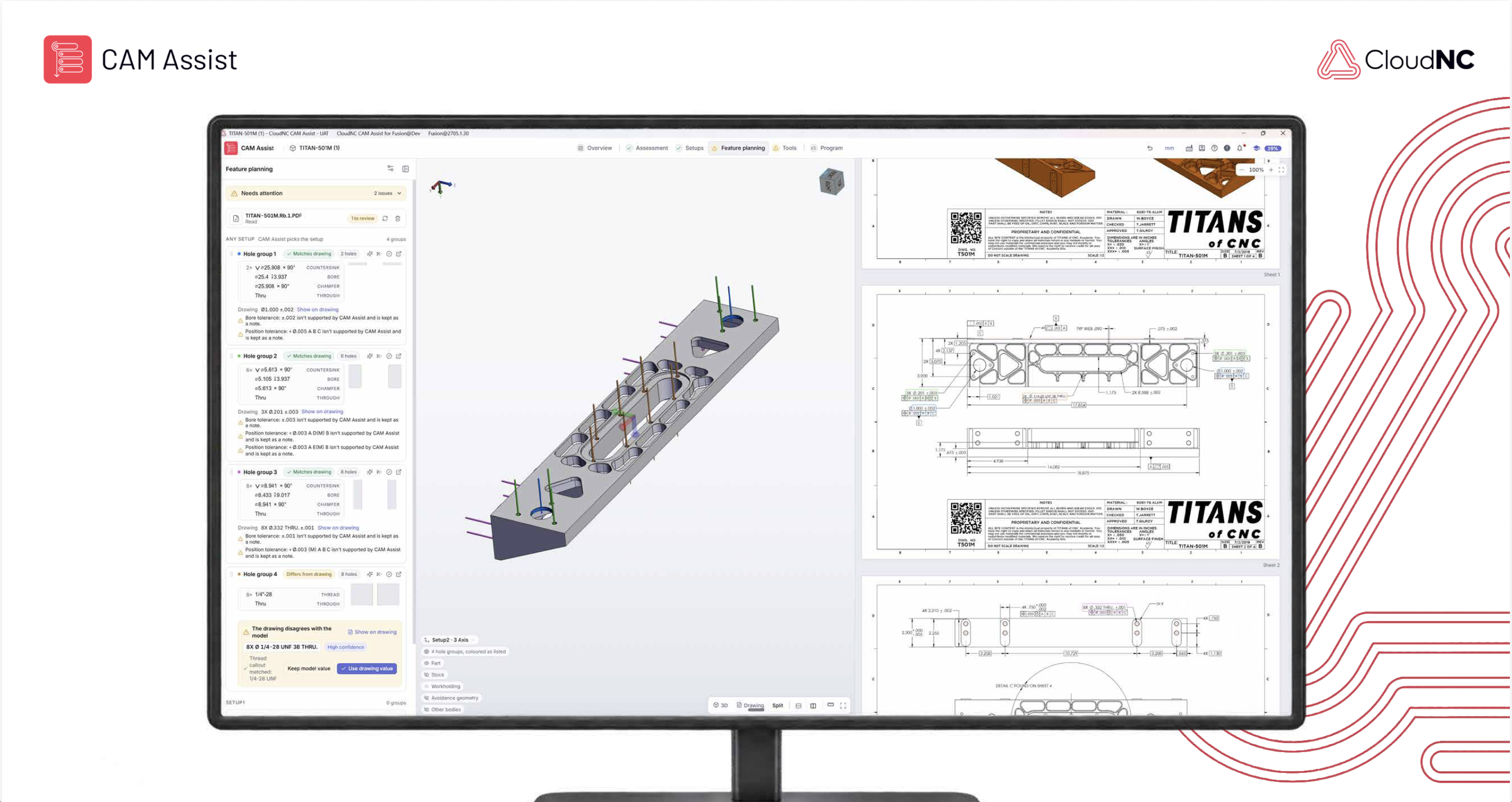
The geometry in a 3D model often does not contain every specification needed to program a hole, which has historically created problems for CAM Assist. Important requirements frequently sit on the engineering drawing, leaving the programmer to interpret them and program the corresponding operations manually in CAM.
CAM Assist 2.5 brings the drawing and model together. The programmer uploads a 2D drawing alongside the 3D model. CAM Assist extracts the hole specifications, matches them to the relevant features and proposes hole-making strategies for review.
The programmer can check those proposals against the drawing and edit them where needed. This extends the work CAM Assist can help prepare while keeping machining decisions open to review.
- Keep working and send results back in stages
A programmer may want to review one operation, complete another manually and return to the rest later. The workflow needs to support that way of working.
While CAM Assist generates the program, the underlying CAM package remains available for other work. Programmers can also review and transfer selected operations as they are ready, with their toolpaths loading in the CAM package.
There is no need to send every operation back at once. A programmer can use CAM Assist for selected elements of a job, continue manually in CAM and review the remaining results in stages. Any remaining programming, verification and machine-code generation take place through the normal CAM process.
- Stay focused on the part
Preparing a job should be a straightforward part of the programming flow. In 2.5, programmers can select the machine, material and saved configuration during assessment, with the information they need available in context.
There is no need to visit My Shop to complete these steps. CAM Assist records the shop information in the background as the programmer works through the part. The updated My Shop interface remains available for reviewing machine, tool and material records when needed.
This keeps the initial preparation focused on the job at hand. Setup directions and tool selection follow as their own stages, so programmers can work through the relevant decisions in one unified flow.
- Built around practical machining work
These changes draw on more than a decade of work in manufacturing automation, our proprietary physics models and the practical experience of running our own machine shop. We’ve tested CAM Assist 2.5 there with our internal CAM programmers.
The aim is to reduce preparation and manual programming effort across more jobs. Where programming delays hold up production, that can help shorten lead times and keep machines supplied with work. The benefit will depend on the part, the workflow and the shop’s production constraints.
- Included with CAM Assist
CAM Assist 2.5 is included at no additional cost for existing subscribers and comes with new subscriptions, with subscription pricing unchanged by the release.
It is intended for programmers producing milled components in supported versions of Mastercam, Siemens NX, Autodesk Fusion, GibbsCAM and SolidCAM.
Try the updated workflow on a familiar part, using the shop’s own tools and drawing, to see where CAM Assist can take on more of the programming work.