Many CNC quoting delays begin with gaps in the information supplied.
The CAD model is one revision and the drawing is another. An email adds a special inspection requirement. The requested material is unavailable in the assumed stock size. The customer asks for several quantities but does not explain how the parts will be called off.
The estimator has to resolve those points before the shop can stand behind a price.
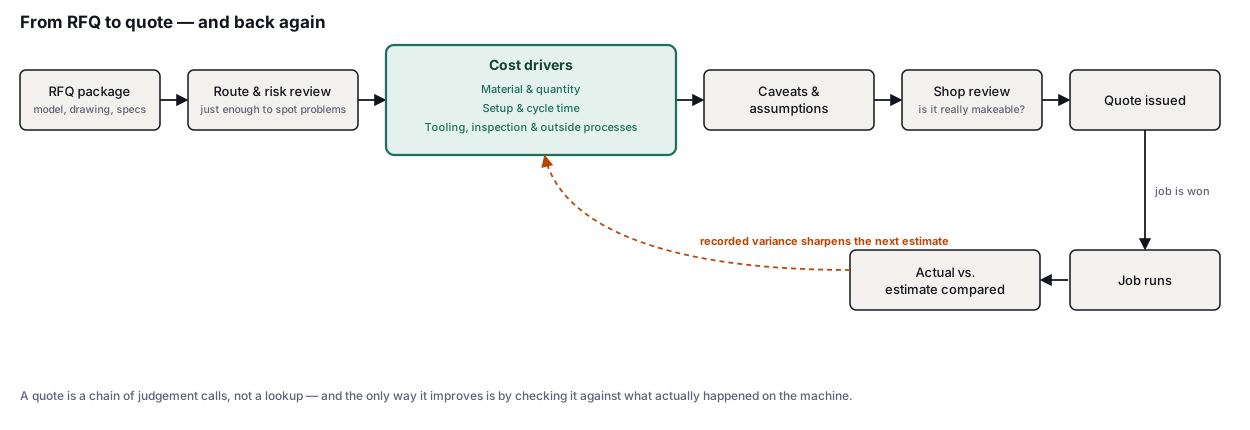
CloudNC has previously explored why quoting becomes a bottleneck in manufacturing. This guide looks at the practical work behind a CNC machining estimate, from reviewing the request for quotation (RFQ) to identifying risks and issuing a clear commercial offer.
Start with the complete RFQ package
Before estimating the part, check that the RFQ contains:
- The current CAD model and drawing revision
- Part numbers and descriptions
- Required quantities and price breaks
- Material grade and condition
- Tolerances and surface finish requirements
- Inspection, reporting and certification requirements
- Heat treatment, anodising, plating or other outside processes
- Packaging and delivery requirements
- Customer specifications, email notes and other supporting documents
The model, drawing, specifications and customer correspondence need to be reviewed together. Requirements added in an email can affect the price just as much as a dimension on the drawing.
ASME Y14.5 provides the standard language used for geometric dimensioning and tolerancing. The estimator still needs to identify which requirements are commercially significant. A tight positional tolerance, for example, may affect the setup, machining sequence and inspection plan.
For a large package of work, ask the customer for a simple cover sheet containing:
- The complete part list
- The revision of each model and drawing
- Quantity breaks for each part
- Priority parts
- The required quote date
- The requested delivery schedule
- A contact for technical questions
This makes it easier to identify missing information before detailed estimating begins.
Build enough of the route to spot risk
A finished CAM programme is unnecessary at this stage. The estimator needs enough understanding of the likely manufacturing route to raise risks and talking points.
That means considering:
- The machine type required
- The stock form and likely blank size
- The number of setups
- Workholding
- Tool access
- Difficult or critical features
- Inspection requirements
- Processes that will be subcontracted
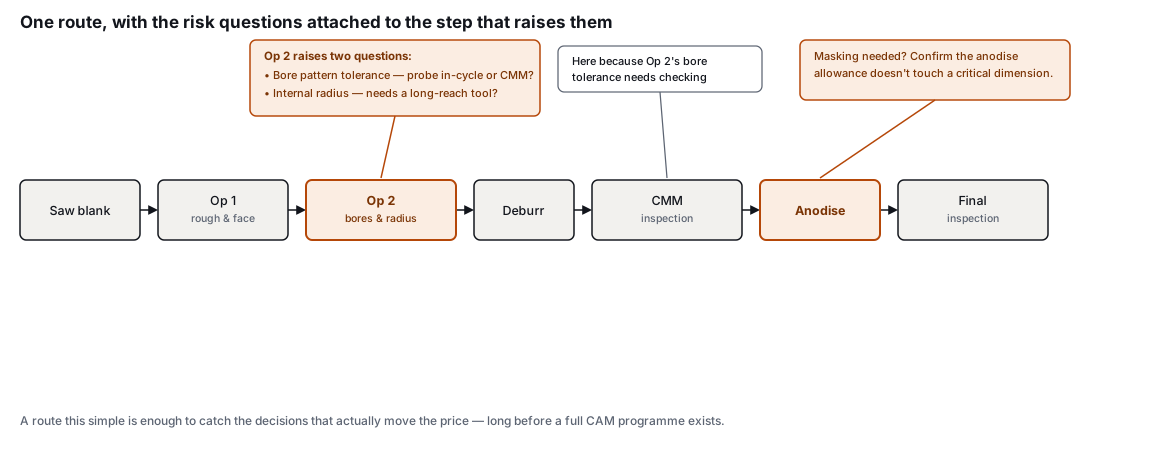
A useful route might be as simple as:
Saw blank, operation one, operation two, deburr, CMM inspection, anodise, final inspection
That gives the estimate a structure without pretending that every production detail has already been decided.
Consider an aluminium housing that appears to need two milling setups. The drawing then adds a tight positional tolerance on a bore pattern, a narrow internal radius and anodising after machining.
Those details raise immediate questions. Will the bores need probing or CMM inspection? Is a long-reach tool required? Does the anodising allowance affect any critical dimensions? Is masking needed?
Those are the points that should be raised during quoting.
Autodesk’s overview of CAM setup sheets shows the type of information that may later be recorded for production, including stock dimensions, work coordinates, tools, operations and cycle time. The estimating route can be much lighter, but it should support the figures being quoted.
Price the main cost drivers
- Material and quantity
Material should be based on stock that can actually be purchased, rather than the finished model volume alone.
Allow for saw cuts, facing, clamping and scrap. Check whether certificates, traceability or customer-approved suppliers are required.
The blank size may also change depending on availability. A preferred plate thickness or bar diameter may be out of stock, forcing the shop to buy a larger size, use another supplier or propose an alternative material condition.
Where availability is uncertain, record a likely cost range or add a clear caveat to the quote.
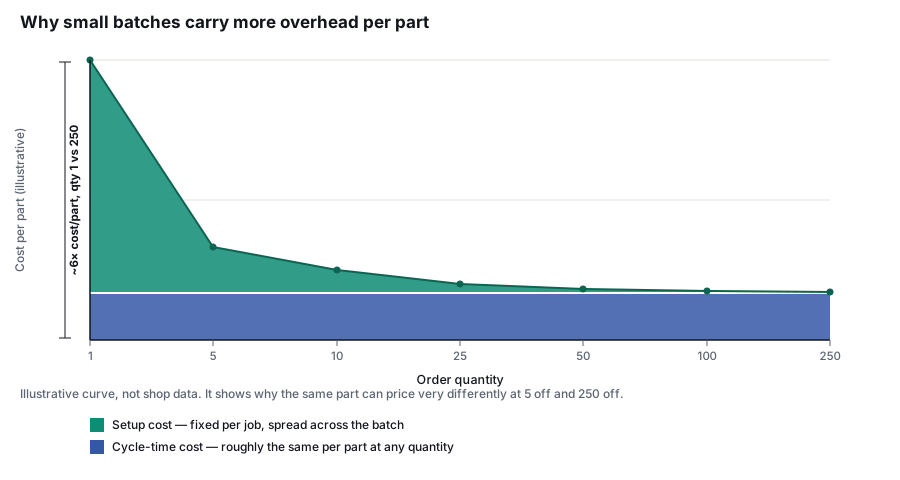
Quantity breaks also need proper review. The route for ten parts may differ from the route for 500. Larger batches may justify dedicated workholding, different stock, palletisation or another machine.
- Setup and cycle time
Setup costs may include:
- Programming
- Tool preparation
- Workholding
- Datum setting
- First-off prove-out
- First-off inspection
These are normally batch costs, so they have a greater effect on small quantities.
Cycle time should include more than cutting time. Tool changes, rapid moves, probing, part handling and manual intervention all contribute to the actual time on the machine.
Autodesk’s machining time documentation explains how CAM estimates can combine feed time, rapid time and tool-change time. The result should then be checked against the machines and working practices in the shop.
Where confidence is low, keep a minimum, likely and maximum estimate internally. A range makes the uncertainty visible and helps decide whether the customer should receive a firm quote or a budgetary price.
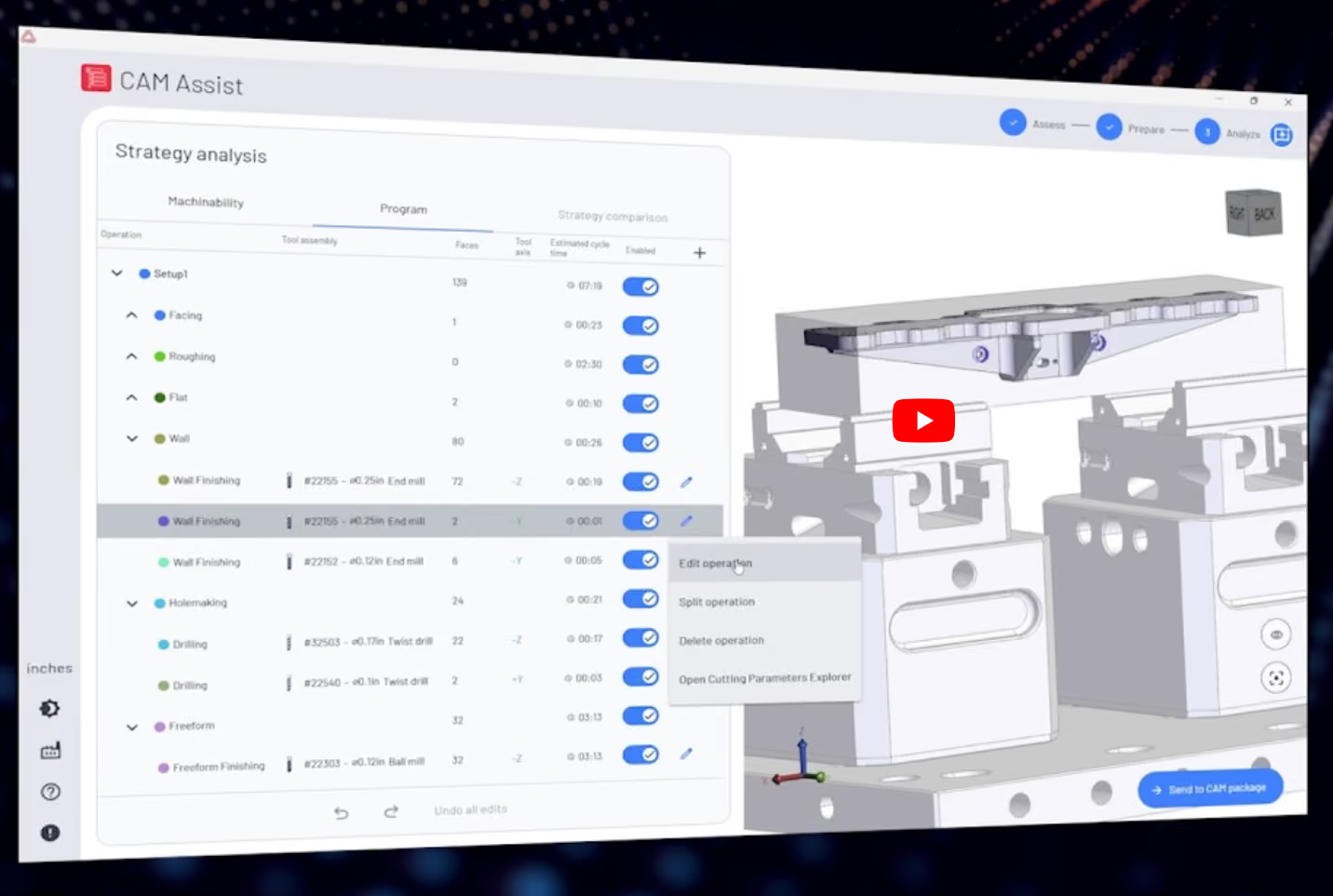
For supported milling workflows, the CAM Assist Cycle Time Estimator can help produce machining-time estimates for 3-axis and 3+2-axis parts. That figure remains one part of the wider estimate.
- Tooling, inspection and outside processes
Routine tools and inserts may already be covered by the machine rate. Special cutters, long-reach tooling, fixtures and soft jaws should be added where they are specific to the job.
Tool consumption can also change the economics of a part. Difficult materials, interrupted cuts and poor chip evacuation may increase insert or cutter use. Sandvik Coromant’s guidance on cutting data and tool life provides a useful overview of the relationship between machining conditions and tool wear.
Inspection should be estimated from the actual requirements. Consider:
- The measurement method
- CMM programming
- First article inspection
- Sampling frequency
- Dimensional reports
- Material and process certificates
- Customer-specific documentation
Outside processes should include minimum batch charges, transport and lead time. Anodising, plating or heat treatment may have a low unit price but still carry a meaningful minimum charge.
Use caveats when information is incomplete
When information is missing, ask the customer for clarification or send a clear list of caveats.
Useful caveats might include:
- Price based on the supplied model and drawing revision
- Material price and lead time subject to supplier availability
- Quote assumes standard commercial material certification
- Full CMM reporting is excluded unless specifically stated
- Price assumes the identified number of setups
- Outside-process lead times are subject to supplier confirmation
- Special packaging, testing or documentation is excluded unless listed
- Final price may change if the quantity, specification or delivery profile changes
Caveats should be specific to the part. A long block of generic terms is easy to ignore and may fail to highlight the issue that actually affects the job.
Where the missing information could materially change the cost, a budgetary range may be more useful than a single figure.
Review the quote with the people who will make the part
Unusual parts benefit from a short review with machining, quality or production staff.
The discussion should focus on practical questions:
- Can the part be held securely?
- Can the critical features be reached?
- Is the proposed setup repeatable?
- Is the inspection method realistic?
- Are the cycle-time and tooling allowances credible?
- Is there a simpler manufacturing route?
After the job has run, compare the estimate with the actual setup time, cycle time, material use, tool consumption, inspection effort and subcontract cost.
Record why a variance occurred. “The long-reach cutter chattered” is useful. “Cycle time was 15% over” gives the next estimator very little to work with.
This feedback loop supports the type of cost-per-component analysis described in Sandvik Coromant’s manufacturing economics guidance.
Where CNC estimating software fits
As RFQ volume grows, files and decisions become harder to manage across inboxes, CAD viewers and spreadsheets.
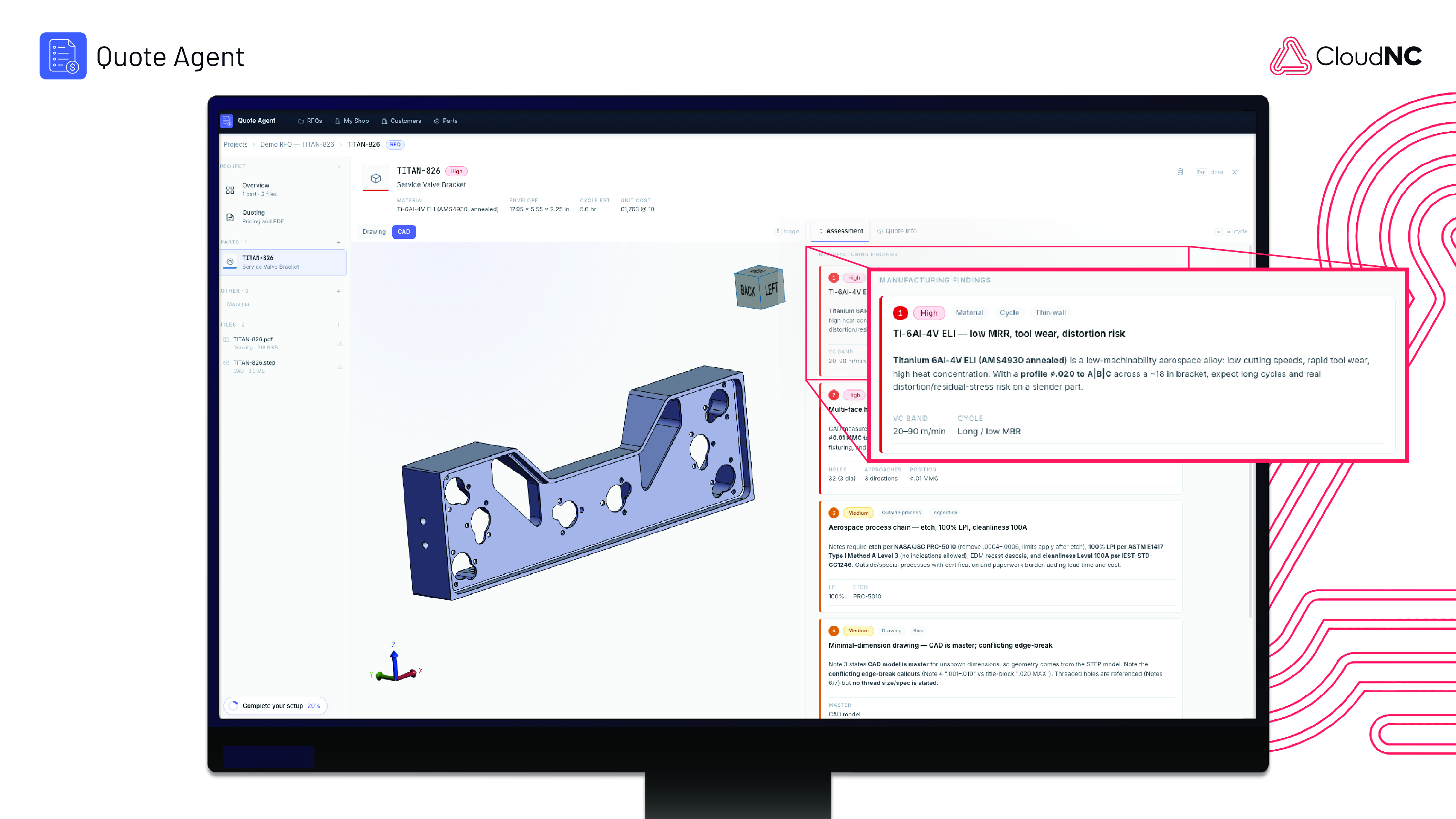
CNC estimating software can bring the model, drawing, customer notes, cost inputs, risks and approvals into one workflow. The estimator should still be able to review and change the proposed route, assumptions and price.
CloudNC’s CNC quoting software for machine shops is designed around that review-led approach.
A reliable quote does not need to predict every detail of production. It needs to capture the likely route, expose the main risks and make clear what has been included in the price.